Application Secrets
The Secrets section allows you to securely manage environment variables used by your application.
Secrets are typically used to store sensitive information such as:
- API keys
- Database credentials
- Authentication tokens
- Configuration values
These variables are injected into the application environment during runtime.
Global Variables
The Global Variables section allows you to manage environment variables for your application.
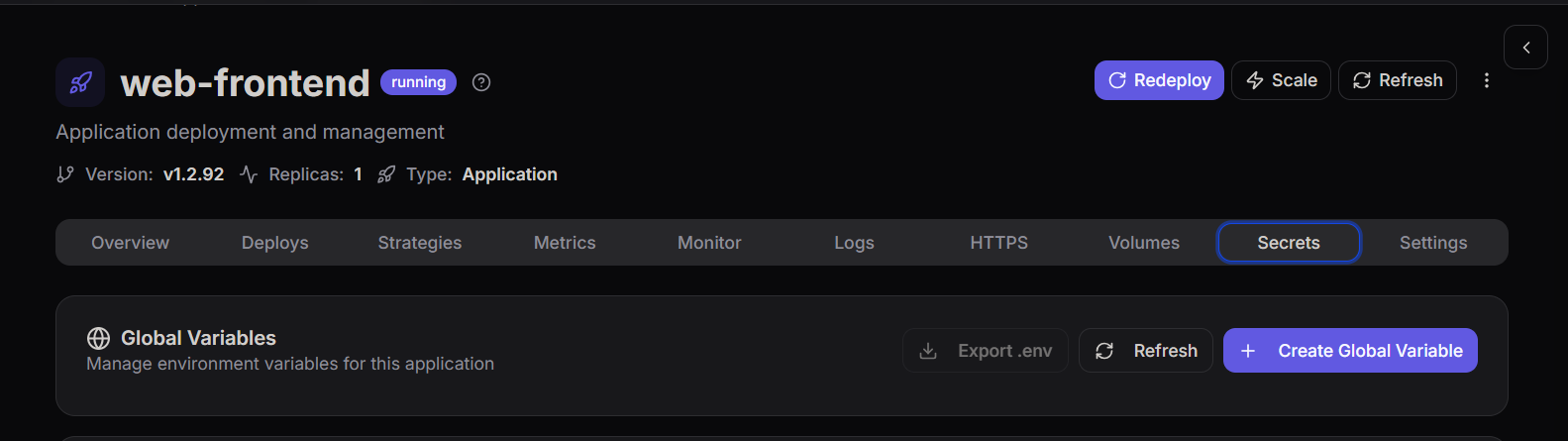
From this page you can:
- Create new environment variables
- Export variables as a
.envfile - Refresh the variable list
Global variables help maintain configuration values that can be accessed by the application during execution.
Creating a Global Variable
To add a new secret or environment variable, click Create Global Variable.
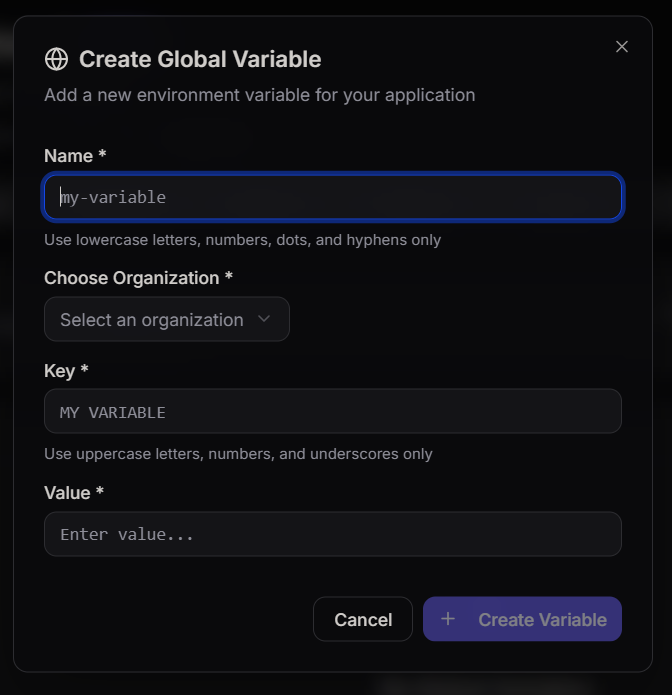
You will need to provide the following details:
Name
A unique identifier for the variable.
Example:
my-variable
Allowed characters include:
- lowercase letters
- numbers
- dots
- hyphens
Organization
Select the organization where the variable will be stored.
This ensures proper access control and management across projects.
Key
The key represents the environment variable name that will be available inside the application.
Example:
MY_VARIABLE
Allowed characters include:
- uppercase letters
- numbers
- underscores
Value
The value is the actual data stored in the variable.
Example:
my_secret_value
This value will be securely injected into the application runtime environment.
Why Use Secrets
Using secrets provides several advantages:
- Secure storage of sensitive data
- Centralized configuration management
- Separation of code and configuration
- Improved security practices
Applications can safely access required credentials without exposing them in the source code.