Revert Application
Steps to Revert a Deployment
If the latest deployment causes issues, you can revert to a previous version.
Step 1: Open Deploy History
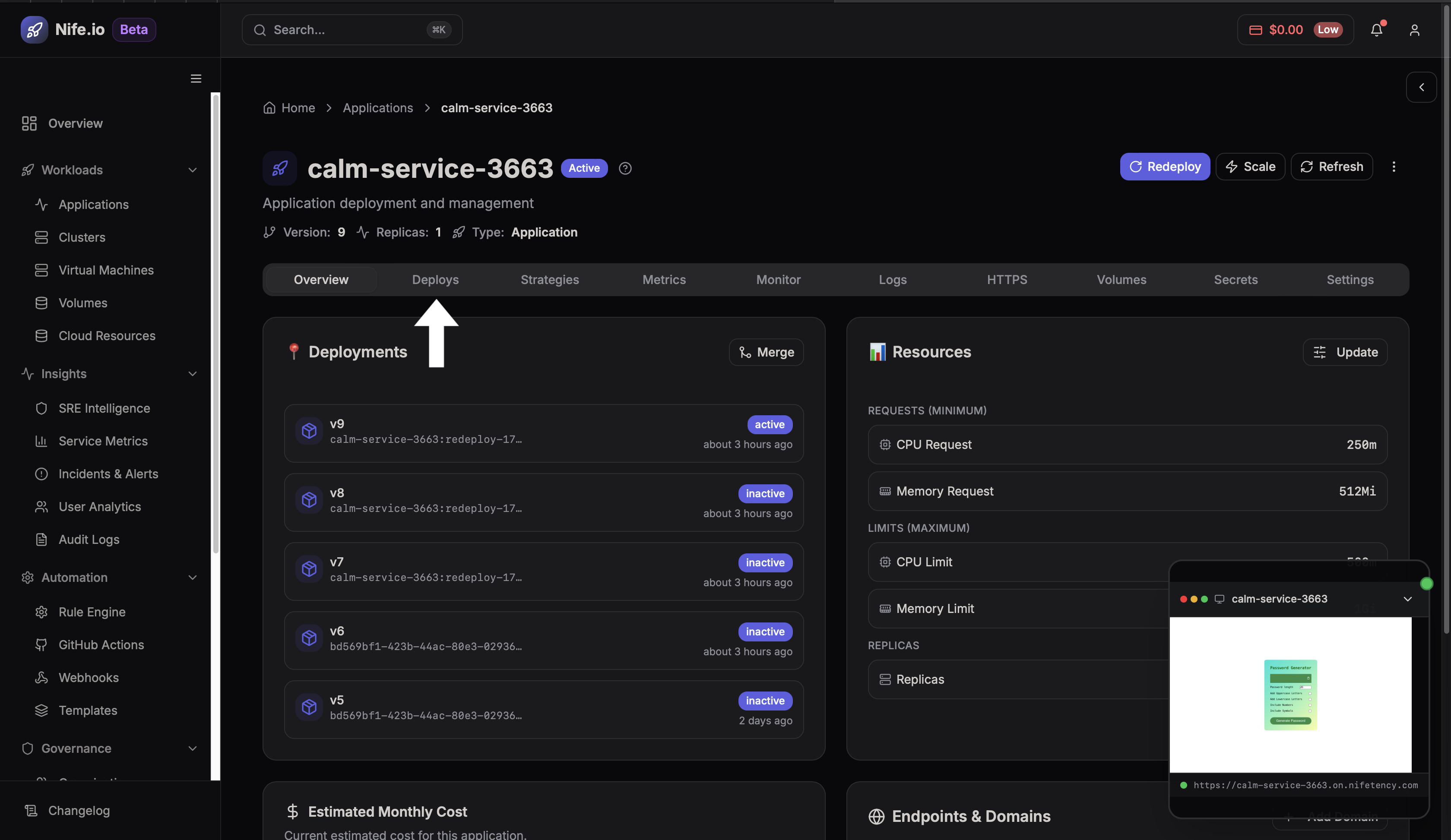
Navigate to the Apps -> Select Apps(from the available list)-> Deploys tab on the application page to view the list of all deployments.
Step 2: Revert to Previous Version
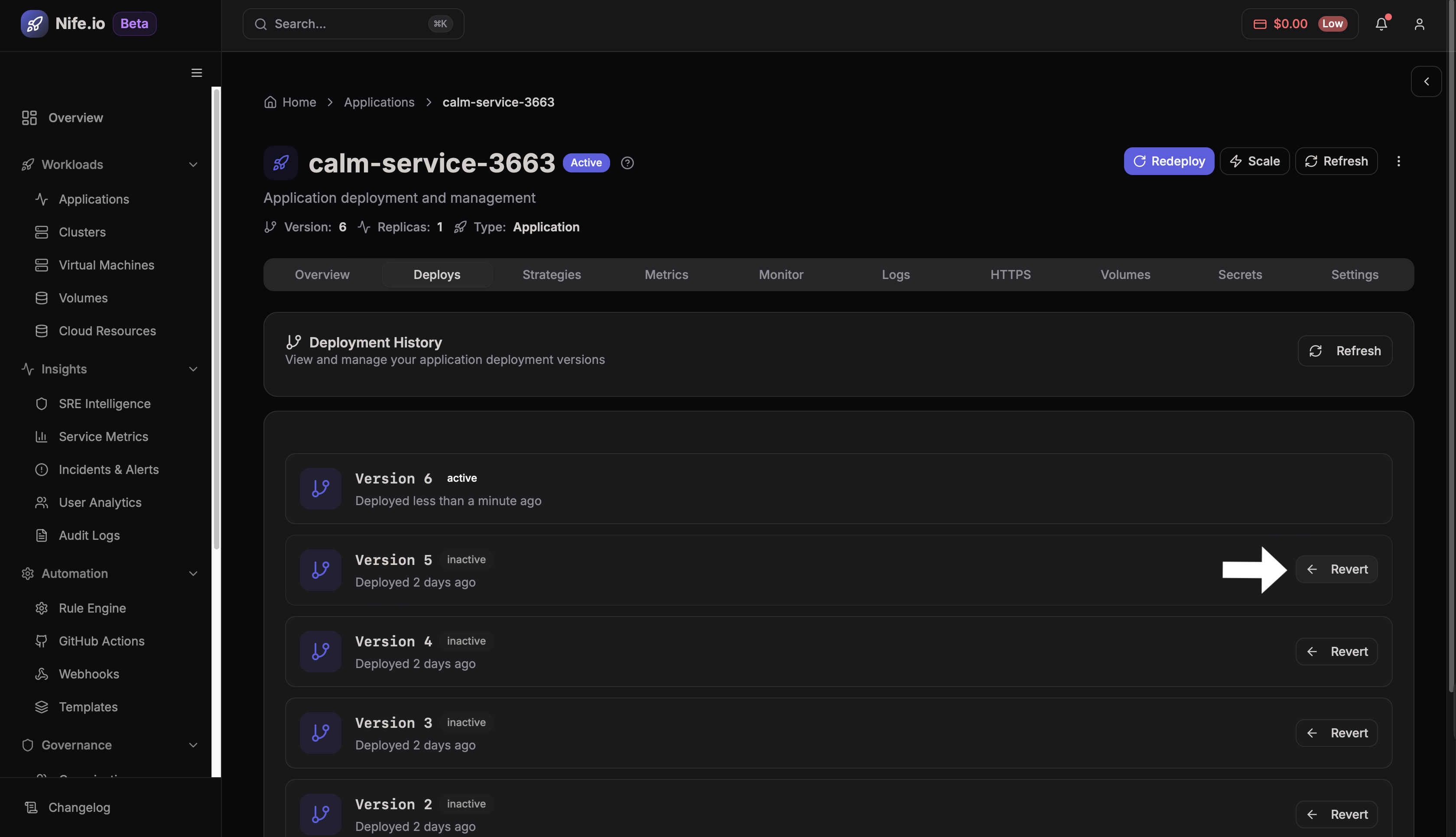
Locate the version you want to restore and click Revert.
The platform will redeploy that version and mark it as the Active deployment.