Cluster Analysis
#Cluster Analysis
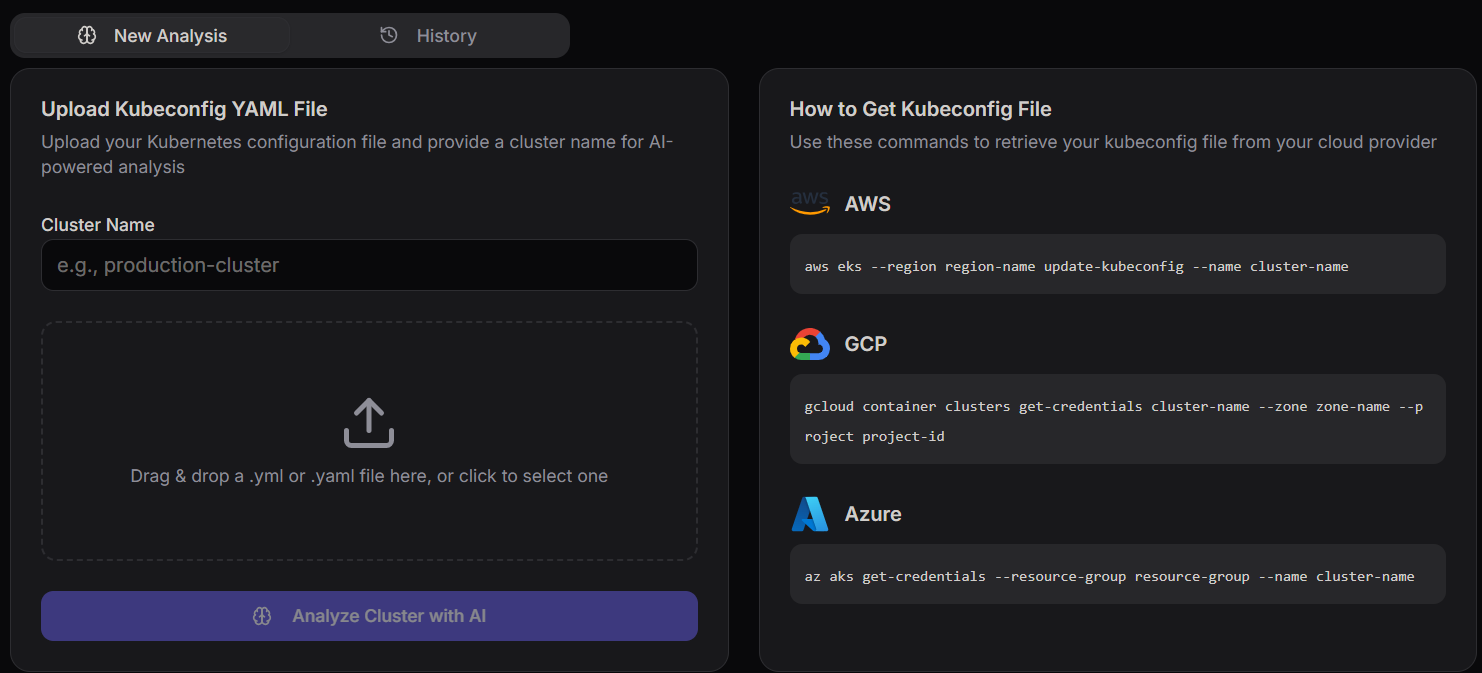
The ** Cluster Analysis** dashboard enables users to upload cluster configuration files and perform AI-powered analysis on their Kubernetes environments.
It helps identify configuration issues, security risks, and optimization opportunities.
Navigation Tabs
The interface includes two primary tabs for managing analysis workflows.
New Analysis
The New Analysis tab allows users to:
- Upload a kubeconfig file
- Provide cluster details
- Run AI-based analysis
This is the default active view used for initiating new scans.
History
The History tab provides access to previously executed analysis.
It allows users to:
- Review past cluster reports
- Track configuration changes over time
- Compare analysis results
Upload Kubeconfig YAML File
This section allows users to upload their Kubernetes configuration file.
Cluster Name
Users must provide a cluster name before running analysis.
This helps in identifying and organizing multiple cluster analyses.
File Upload
Users can upload their kubeconfig file using:
- Drag and drop functionality
- Manual file selection
Supported formats:
.yml.yaml
This file contains authentication and cluster configuration details required for analysis.
Analyze Cluster with AI
This button triggers the analysis process.
Once clicked:
- The kubeconfig file is processed
- Cluster configuration is evaluated
- AI generates insights and recommendations
How to Get Kubeconfig File
This section provides commands to retrieve kubeconfig files from different cloud providers.
AWS (EKS)
aws eks --region region-name update-kubeconfig --name cluster-name
GCP (GKE)
gcloud container clusters get-credentials [CLUSTER_NAME] --region [REGION]
Azure (AKS)
az aks get-credentials --resource-group [RESOURCE_GROUP_NAME] --name [CLUSTER_NAME]
Related Resources
- 🛠️ Kubernetes YAML Generator — generate manifests for any resource type
- 🛠️ YAML Formatter & Validator — validate your kubeconfig before uploading it for analysis